Image Upload
Supports JPG, PNG, WebP • Max 20MB
Click to select or drag files here
AI Background Changer
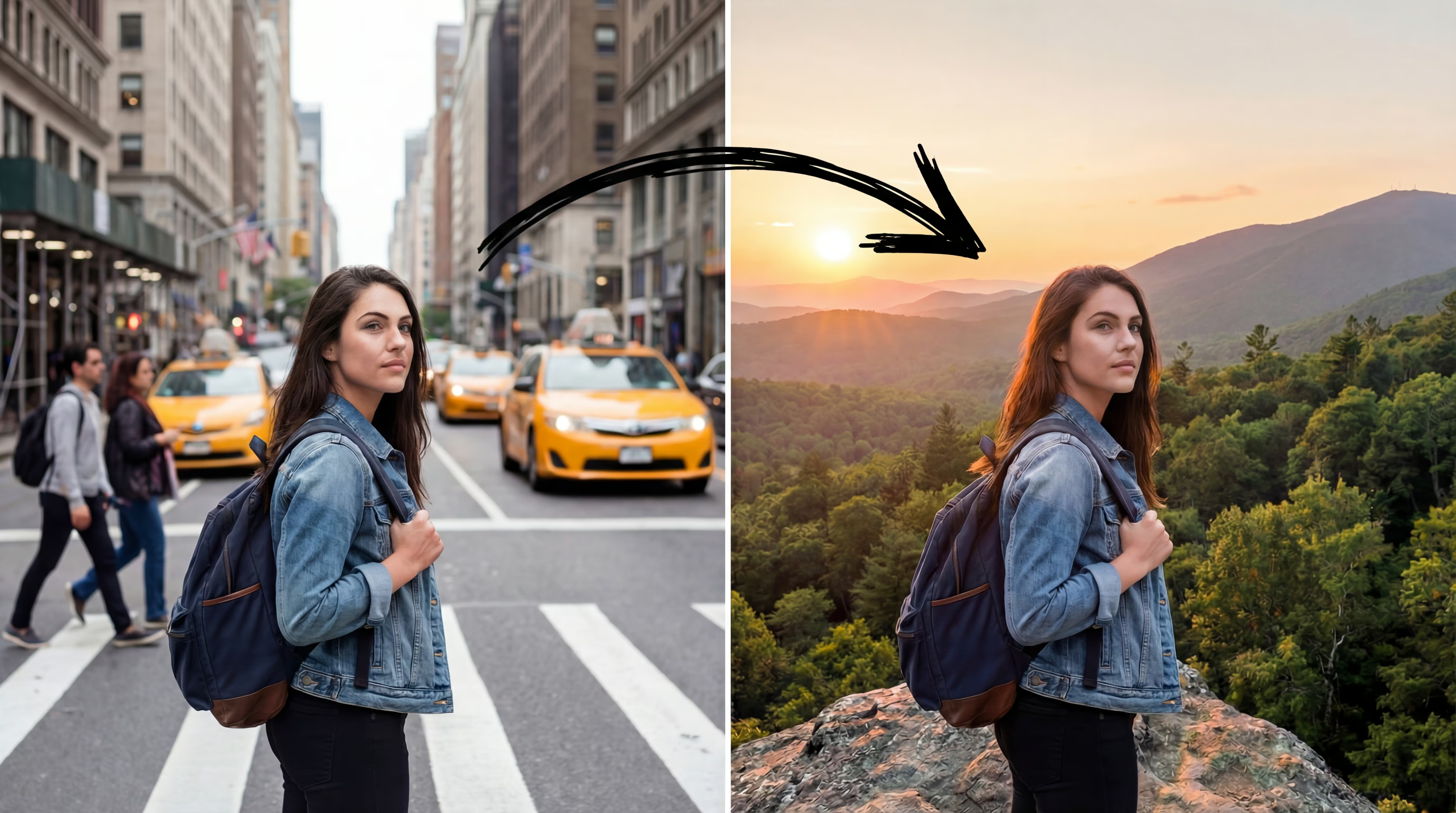
One‑click background change with AI Background Changer — solid color or your image.
AI Background Changer
With AI Background Changer, change the background to a solid color or a custom scene. Clean cut-outs, natural edges, and high-quality downloads for portraits, products, and social posts.
Solid color, clean and consistent
Pick from the palette for a clean, consistent look — great for shop images and profiles with AI Background Changer.
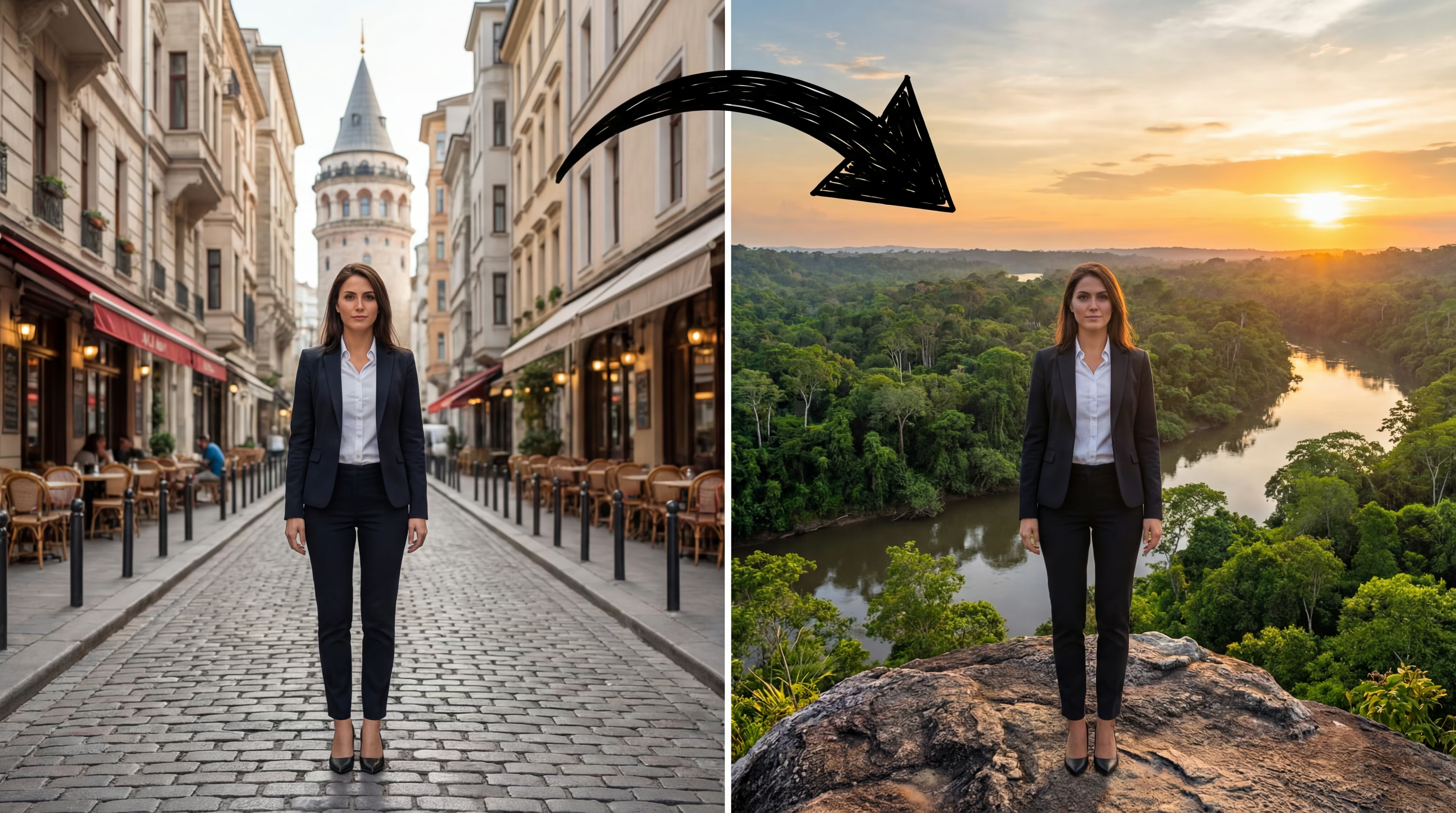
Use your own background image
Upload a reference; AI Background Changer cuts out cleanly, adjusts light, and places your subject naturally in the new scene.

Portraits & products, no fuss
AI Background Changer is optimized for people and products. Clear outlines, simple backgrounds, and good light give the best results.

Brand colors via Hex
Enter Hex to keep the same brand color across campaigns, listings, and social.
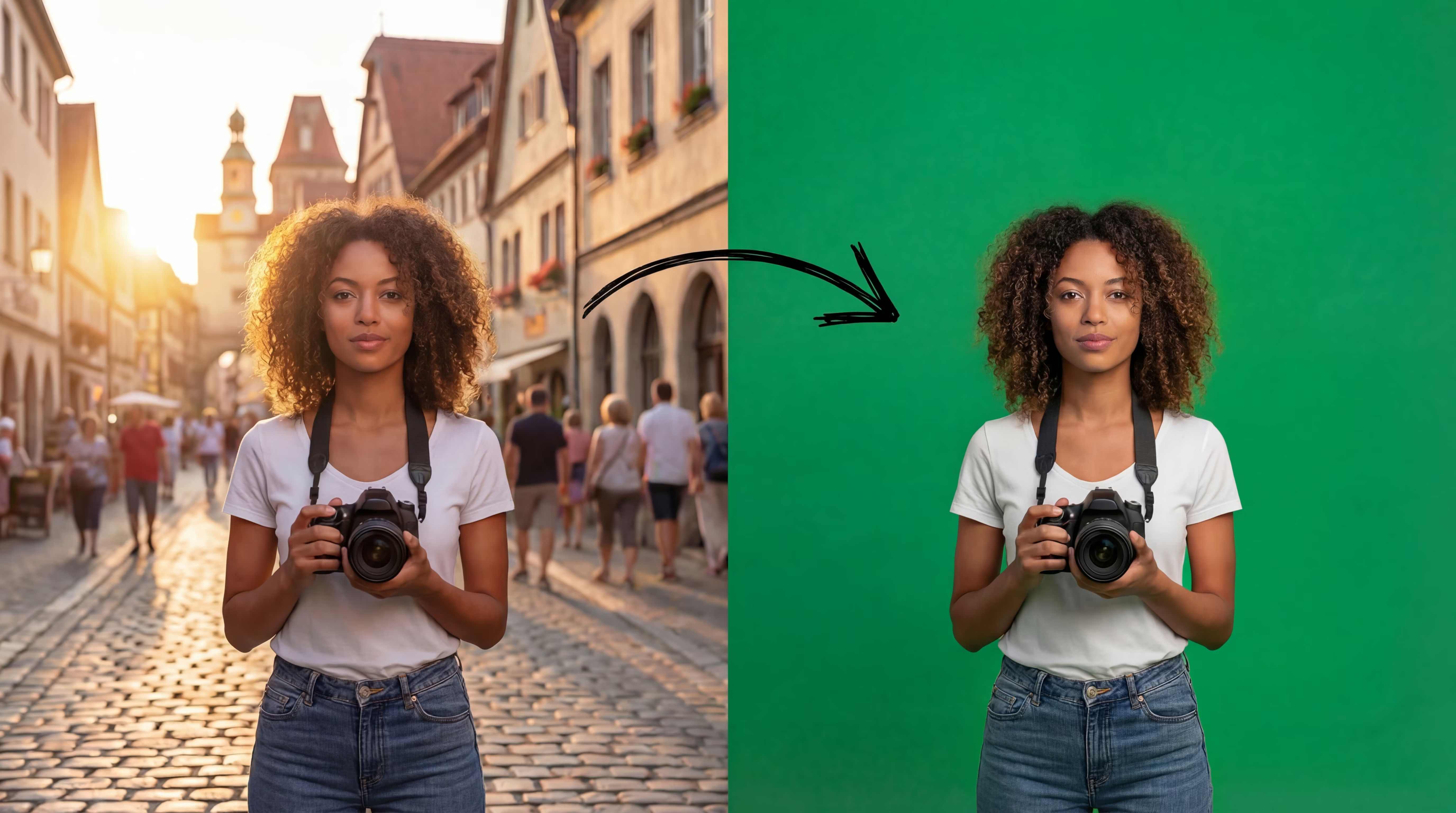
High‑res, no banding
Natural edges, clear detail, and no banding — ideal for shop and social.

How It Works
Upload your photo and choose a color or reference image. AI Background Changer removes the background and blends to match the light; then download in high quality.
Upload a Photo
Pick a clear subject photo; a front portrait or product shot is most reliable.
Select Background
Pick a color or upload a background image. AI Background Changer removes the original background and adjusts light naturally.
Download & Share
Download in high quality — ready for listings, ads, and social.
What Users Say
Real feedback from creators, sellers, and designers using AI Background Changer.
Emma R.
Ecommerce Seller
AI Background Changer makes clean, consistent product photos in minutes. The color background option is perfect for my store.
Jason K.
Photographer
I use AI Background Changer to place portraits on simple tones or reference scenes. Edges stay natural and clients love the results.
Sophia L.
Content Creator
For thumbnails and social posts, AI Background Changer saves me hours. The blend is realistic without halo artifacts.
Marco D.
Brand Designer
Hex support in AI Background Changer keeps brand colors consistent across campaigns. Exactly what I needed.
Ava P.
Marketplace Seller
Listings look professional with AI Background Changer. Clean cut‑outs and fast downloads boost my conversion.
Noah T.
Small Business Owner
I replaced messy backgrounds with simple tones using AI Background Changer. Results are consistent and high‑res.
Frequently Asked Questions
Common questions about AI Background Changer, usage, and best practices.
What is AI Background Changer?
What photos work best?
Can I use custom colors?
Is this suitable for ecommerce?
Is my privacy protected?
Which formats are supported?
What resolution should I upload?
Color vs. image mode — what's the difference?
Can I process multiple photos at once?
More AI Photo Effects
Explore more templates you may like